Protect your Kajabi form from bots
In short: To stop spam on a Kajabi form embedded on your website, copy the form's HTML from your page with Chrome's Inspect tool, protect it in the SpamKill Setup Wizard, then replace Kajabi's one-line script with the protected code. SpamKill checks every submission without a CAPTCHA and real sign-ups still reach Kajabi. It takes about 15 minutes.
Bots are filling the Kajabi form on your website with fake sign-ups. Protect it with SpamKill and real sign-ups keep arriving in Kajabi. One limitation to know first: Kajabi only gives you a script, so you copy the form it draws from your page with Chrome's Inspect tool.
- 6 steps
- About 15 min
- Copy and paste one snippet
Last verified on Kajabi trial (Forms, inline embed) with the SpamKill Setup Wizard
What changes, and what doesn't
- Sign-ups still arrive in Kajabi under your form's Submissions
- Your form's fields and Kajabi's form styling
- Kajabi's thank-you page after submitting
- Every submission is checked before it reaches Kajabi
- No CAPTCHA for your visitors
- Undo it anytime by putting Kajabi's script back
Before you start
Have these ready so nothing stops you halfway.
- A SpamKill accountNo account yet? Start a free trial.
- A Kajabi formUnder Marketing › Forms in Kajabi.
- A website page where you can edit the HTMLThis guide is for a Kajabi form embedded on your own site. You'll paste HTML code, so use an HTML or code block in your site editor.
- Google Chrome on a computerYou'll use Chrome's Inspect tool to copy the form's HTML.
Quick setup
For returning users. Each line links to its full step.
- In Kajabi, open your form under Marketing › Forms, set Embed › Style to Show the form inline, copy the script and publish it on your page. Step 1
- Right-click the form, choose Inspect, then right-click the <div id="kajabi-form" line and choose Copy › Copy element. Step 2
- In the SpamKill Console, open Setup Wizard, click No to the WordPress question and paste the form's HTML. Step 3
- Click Generate Protected Code, check the email field is form_submission[email], then click Yes, protect my form. Step 4
- Delete Kajabi's script from your page, paste Kajabi's stylesheet line from Inspect, paste the protected code below it, publish, then click Next. Step 5
- Submit [email protected] and expect an error, then submit your own details and check your form's Submissions. Step 6
Put Kajabi's form on your page
Where: KajabiMarketingForms
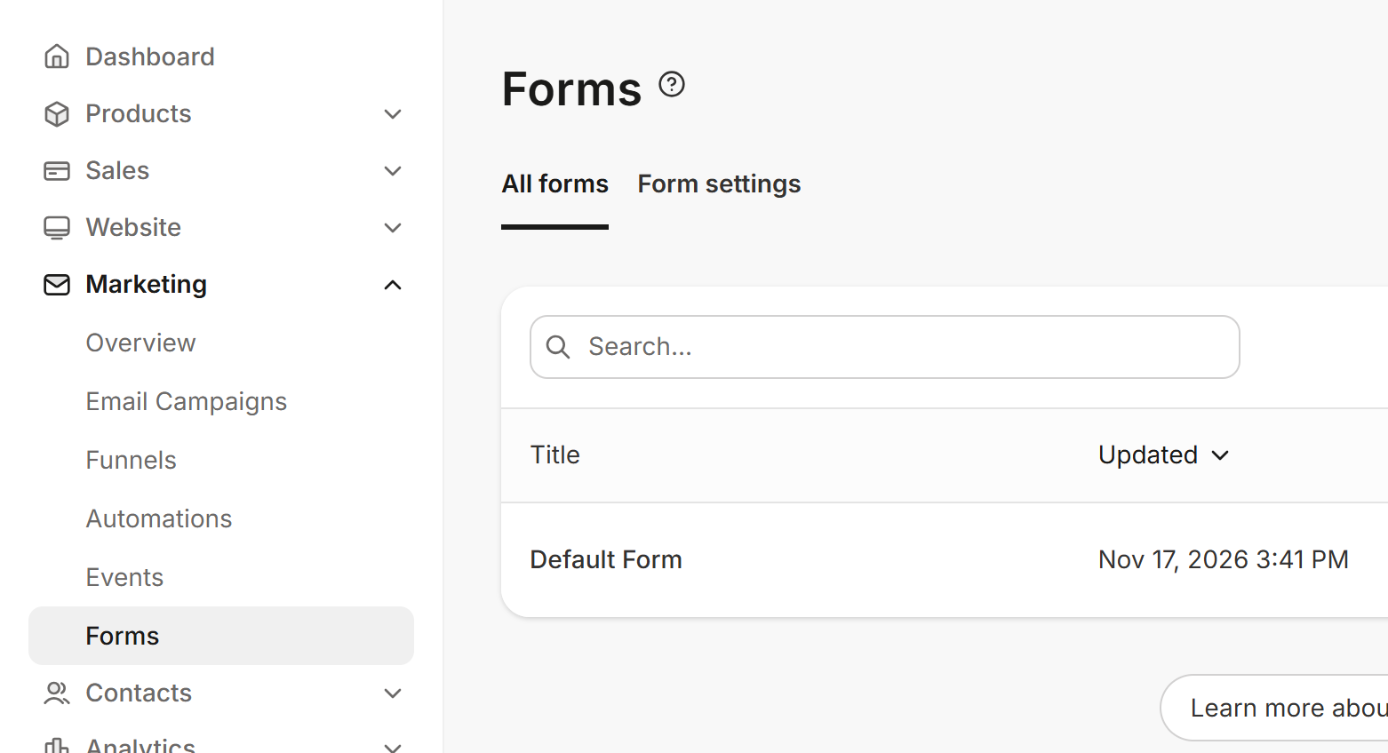
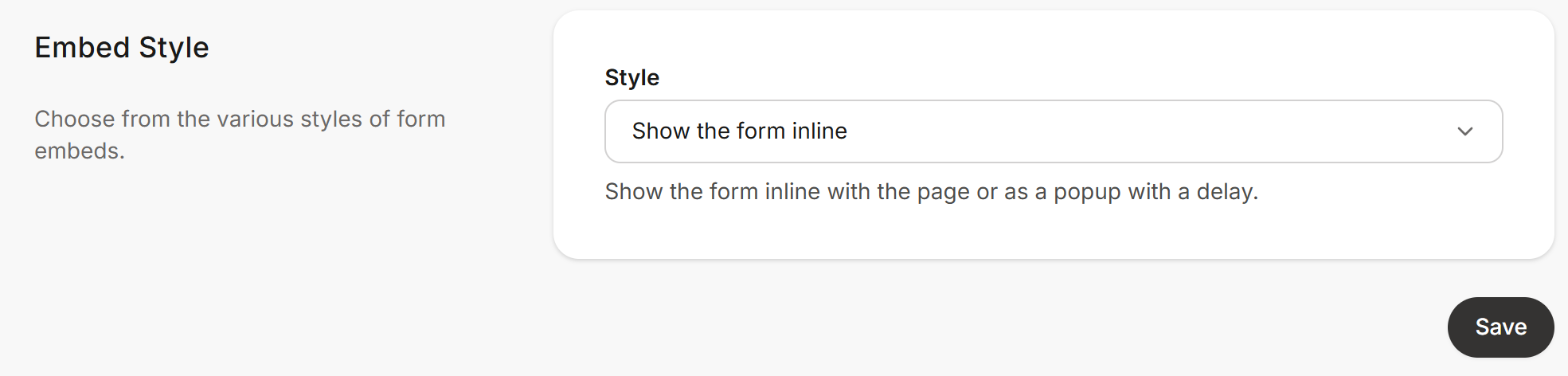
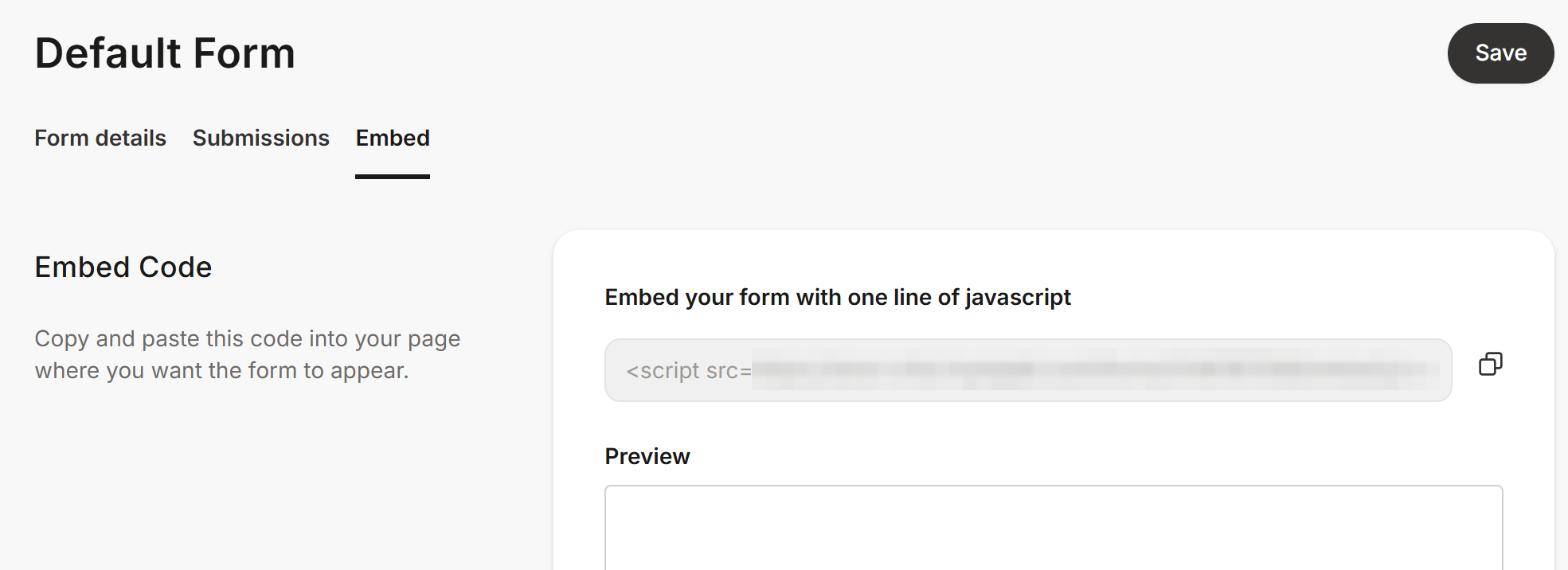
In Kajabi, open Marketing › Forms (1) and click your form (2). On the Embed tab, set Style to Show the form inline (3) and click Save. Copy the one-line script with the copy icon (4). Paste it into an HTML block on your page and publish the page.
You should see: Your page shows Kajabi's form.
Kajabi's form is already on your page?
Check it shows inline, not as a pop-up, and go on to step 2.
Copy the form's HTML
Where: Your pageInspectElements
Open your page in Chrome. Right-click the form's title (1) and choose Inspect. Chrome opens its Elements panel next to the page. A few lines above the highlighted one, find the line that starts with <div id="kajabi-form". Right-click that line and choose Copy › Copy element.

You should see: The form's HTML on your clipboard, starting with <div id="kajabi-form".
Why not paste Kajabi's script?
The script only draws the form after your page loads, so there's no form in it for SpamKill to protect. The Setup Wizard tells you it can't convert it.
Paste it into the Setup Wizard
Where: SpamKill ConsoleSetup Wizard
In the SpamKill Console, click Setup Wizard in the sidebar. If your site isn't on WordPress, click No under Is your website developed in WordPress?. Paste the form's HTML into the box (1).
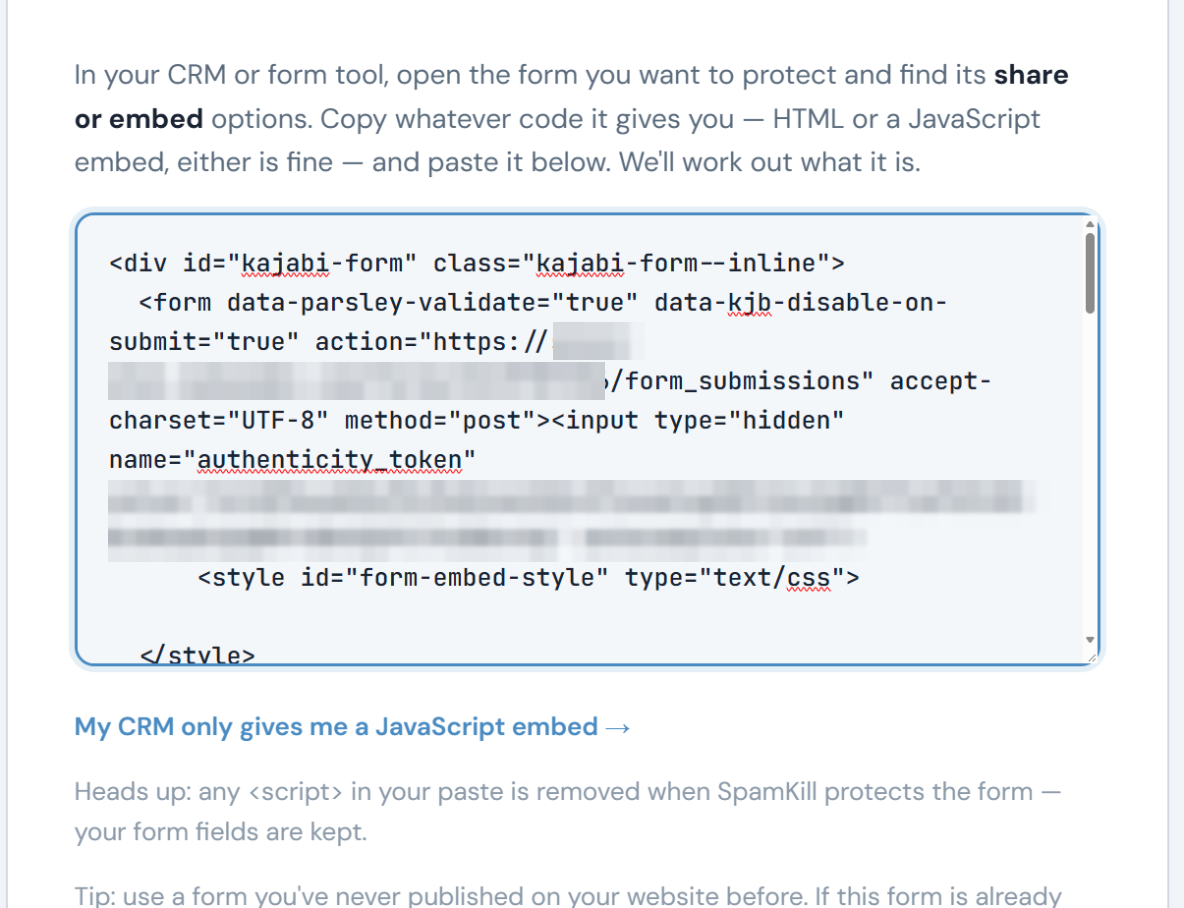
You should see: The code in the box, starting with <div id="kajabi-form".
Generate the protected code
Where: SpamKill ConsoleSetup Wizard
Click Generate Protected Code. SpamKill asks you to check the email field: it should be form_submission[email] (1). Click Yes, protect my form (2).
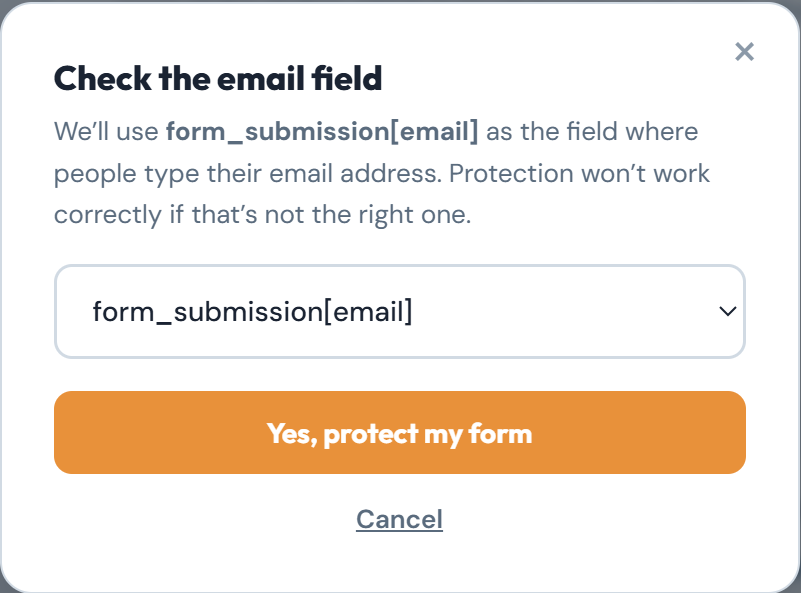
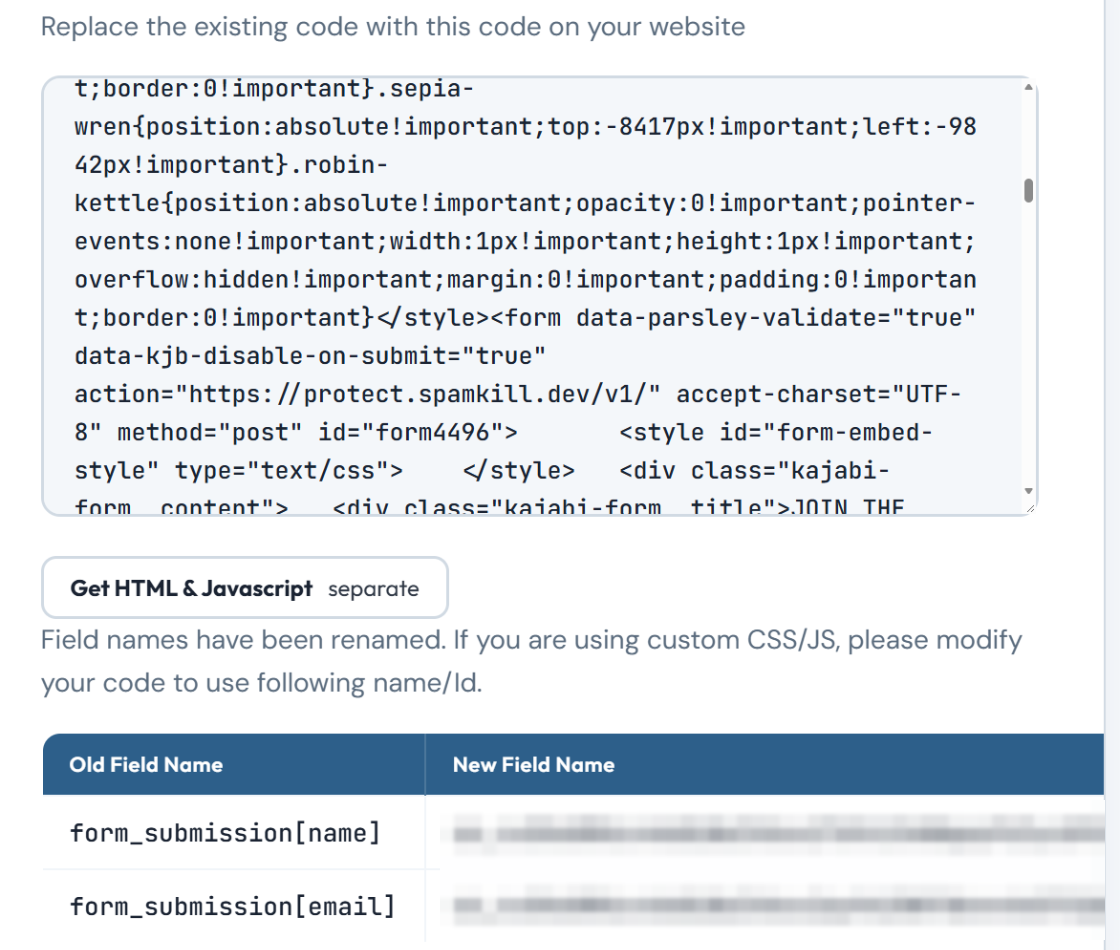
You should see: Replace the existing code with this code on your website, above your protected code.
Replace Kajabi's script on your page
Where: Your website editor
Open your page in your website editor and delete Kajabi's one-line script. Then go back to Chrome's Elements panel. Just above <div id="kajabi-form" is a line that starts with <link rel="stylesheet" and ends in form_embed-…css: it's Kajabi's form styling. Right-click it, choose Copy › Copy element and paste it where the script was. Copy the protected code from the wizard and paste it below that line. Save and publish the page. Then click Next in the wizard.

You should see: Your page shows the form in Kajabi's styling, just as before.
The form shows plain boxes?
Kajabi's stylesheet line is missing. Copy it from the Elements panel as above and paste it above the protected code.
Test it twice
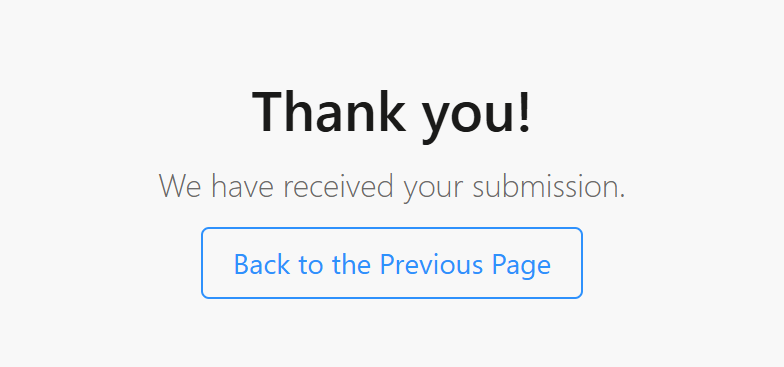
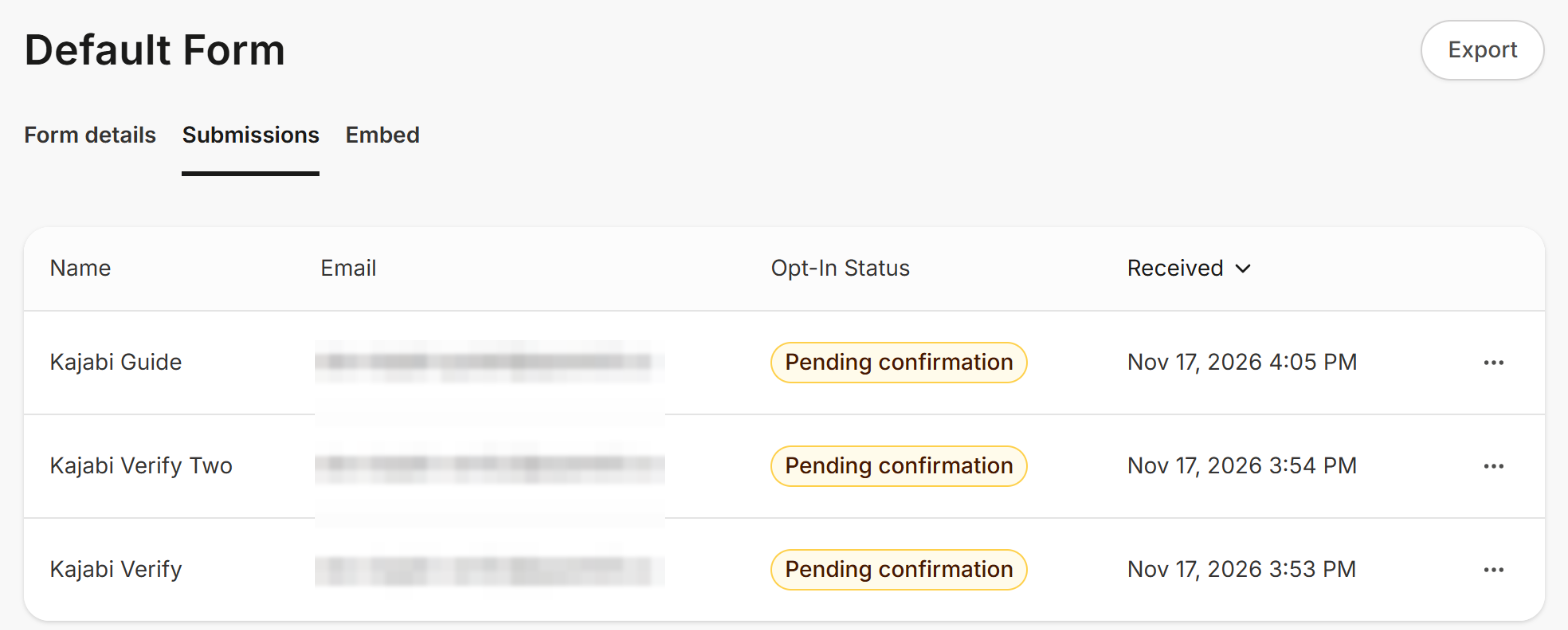
Open your page in a private window. Submit the form with [email protected] (1). Then submit it again with your own name and email. Kajabi shows Thank you!, and your test appears on your form's Submissions tab (2). If the form asks people to confirm their email, its Opt-In Status is Pending confirmation (3) until the confirmation email is clicked.
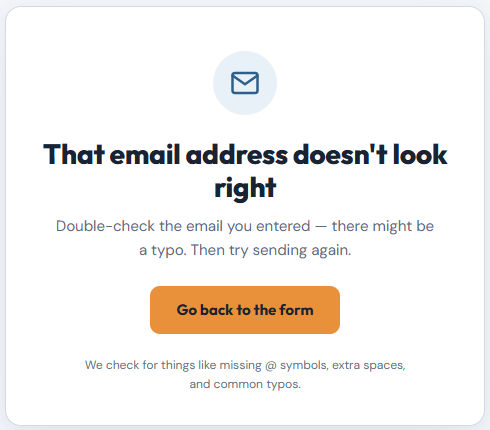
The first try shows That email address doesn't look right.
The second try appears on your form's Submissions tab.
Back in the wizard, click Both Tests Passed.
You should see: Thank you! We have received your submission. after the second try.
Your Kajabi form is protected
- Bots are stopped before they reach Kajabi.
- Real leads arrive exactly as before, with no extra steps for them.
- Every block is logged in your SpamKill dashboard.
Something not working?
Find what you're seeing.
The wizard says it's a Kajabi JavaScript embed
You pasted Kajabi's one-line script. Copy the form's HTML from your page instead, as in step 2, and paste that.
I can't find the kajabi-form line in Inspect
Check the form shows on the page, inline. A pop-up form isn't on the page until it opens, so set Style to Show the form inline in Kajabi first.
The protected form has no styling
Kajabi's stylesheet line is missing from your page. Copy the <link rel="stylesheet" line that ends in form_embed-…css from the Elements panel and paste it above the protected code.
The form submits, but nothing appears in Kajabi
Check the live page has the protected code: its form sends to protect.spamkill.dev. If it does, put Kajabi's script back on a page and repeat steps 2 to 5 to copy the form again.
A real visitor was told their email doesn't look right
SpamKill checks for missing @ symbols, extra spaces and common typos. The visitor can click Go back to the form, fix the address and send again.
I changed the form in Kajabi
Put Kajabi's script back on a page, then repeat steps 2 to 5 and replace the code on your page.
Changed your mind? Undo in under a minute
- Open the page in your website editor.
- Delete the SpamKill code and Kajabi's stylesheet line, then paste Kajabi's one-line script back.
- Save and publish the page. Your form is back to how it was.
Thanks! Glad your form is protected.
Sorry about that. Tell us which step tripped you up and we'll fix the guide.
Stuck? We'll set it up with you.
Free setup help for every plan. Send us a message and we'll walk through your Kajabi form with you.
Get setup help